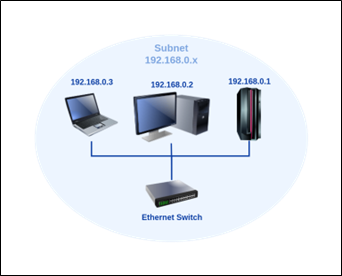
An IP address (Internet Protocol address) is a numerical label assigned to every device on a network that uses the Internet Protocol for communication. It serves two primary purposes: identification and location addressing.
Primary Functions
- Identification – Uniquely identifies a device (host) on a network.
- Location addressing – Helps in routing packets from the source to the destination.
IP Address Format
When data travels across a network, it's broken into packets. The IP layer ensures each packet is tagged with:
Packet Structure:
- Source IP (where it came from)
- Destination IP (where it's going)
This system allows routers and devices to decide the best path for forwarding each packet. Importantly, IP doesn't care if a packet arrives or not—it just handles addressing and routing. Reliability is the job of other protocols (like TCP).
OSI Model Context
IP operates at the Network Layer (Layer 3) of the OSI model, providing logical addressing and routing services between different networks.
Checking IP Address in Linux
You can check your IP address in Linux using the ifconfig command:
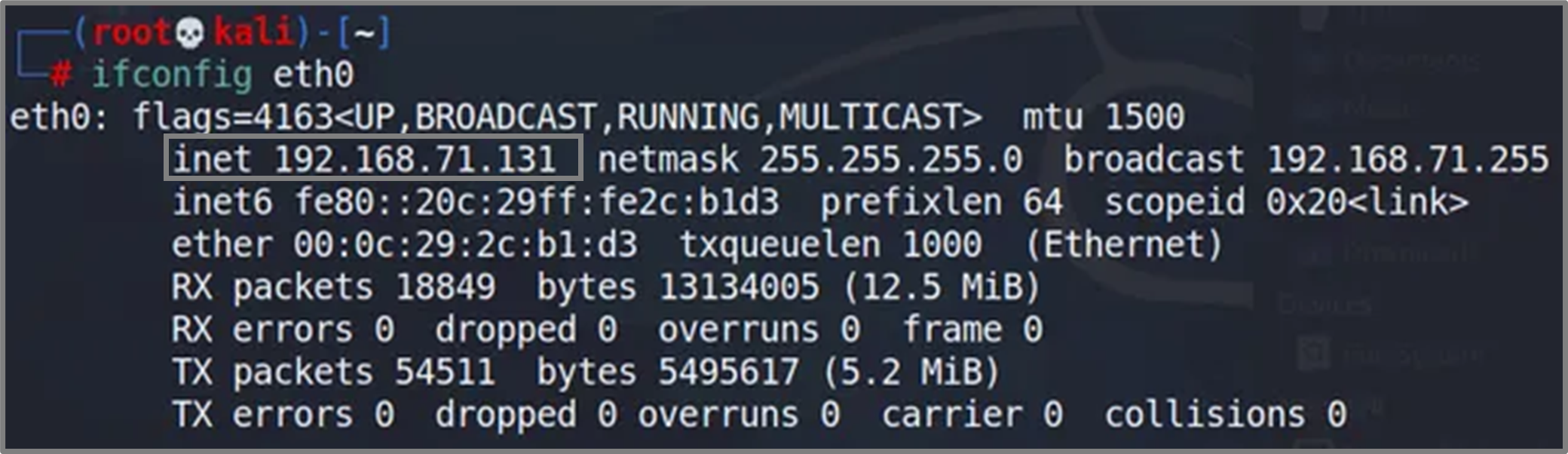
Command:
ifconfigThis command displays the network interface configuration, including IP addresses, subnet masks, and other network settings for each interface.