+91 91524 45255

SPI Fundamentals

This blog series is focused on SPI hacking with practical application in hardware analysis, firmware extraction, and embedded device inspection. Understanding this protocol is essential before moving on to hands-on tools and extraction techniques, which will be discussed in upcoming parts.

SPI Fundamentals

Introduction

This blog series is focused on SPI hacking with practical application in hardware analysis, firmware extraction, and embedded device inspection. Understanding this protocol is essential before moving on to hands-on tools and extraction techniques, which will be discussed in upcoming parts.

This post is for the curious: makers, tinkerers, and hackers who want to understand what SPI is, how it works, and why it matters in real-world hardware hacking. We'll cover everything from the basics of the protocol to how it plays into accessing flash memory chips. Whether you're trying to dump a router's firmware or dig into an old motherboard.
What is SPI?

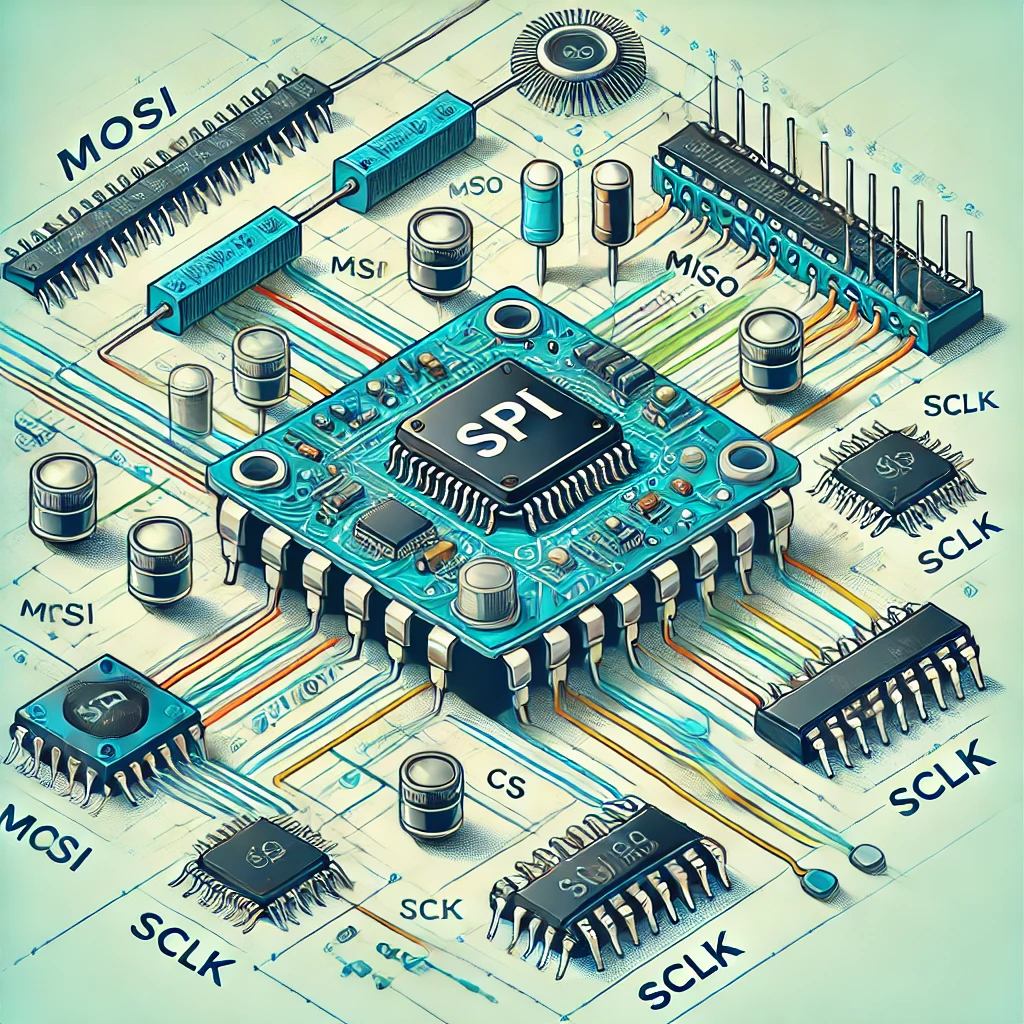
SPI stands for Serial Peripheral Interface, a synchronous serial communication protocol used for short-distance communication, primarily in embedded systems. It enables a master device to communicate with one or more slave devices using separate lines for data transmission and clock signaling.

SPI is commonly found in systems involving flash memory, sensors, ADCs, and other digital components. In the context of hardware hacking, it is most frequently used to interface with SPI flash memory chips that store firmware or BIOS data.

Key Features:

  • Full-Duplex Communication: Data goes both ways at the same time.
  • High Speed: Much faster than protocols like I2C.
  • Low Overhead: Just a handful of wires, no need for complex handshakes.
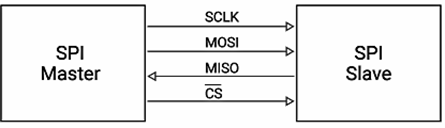
SPI diagram

SPI Bus Architecture

The SPI protocol is based on a master-slave architecture. The master initiates communication and controls the clock signal, while one or more slave devices respond to commands.

Signal Full Name Direction Description
MOSI Master Out, Slave In Master → Slave Data sent from master to slave
MISO Master In, Slave Out Slave → Master Data sent from slave to master
SCLK Serial Clock Master → Slave Synchronizes data transmission
CS Chip Select (Active Low) Master → Slave Enables specific slave for communication

Two additional lines, VCC and GND, are required to power the slave device and establish a common ground.

Why SPI is Important in Hardware Hacking

SPI is widely used in flash memory chips found in embedded devices. These memory chips often store firmware responsible for device operation. Accessing and manipulating this firmware is a critical step in many hardware security assessments.

If you can access that SPI chip physically,you can read or write its contents.

Here are just a few real-world uses:

Firmware Extraction

Extracting firmware from flash memory chips for reverse engineering and vulnerability analysis.

Device Analysis

Understanding device behavior and identifying hidden features.

Security Testing

Discovering vulnerabilities and testing device security.

Typical SPI Flash Chips

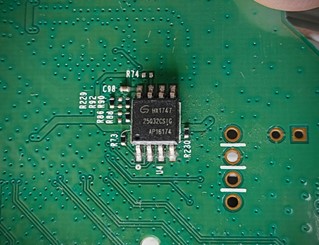
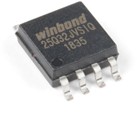
Most SPI flash chips follow the 25-series standard (like Winbond W25Q64, Macronix MX25L, etc.) and are often SOIC-8 packages – eight tiny legs soldered onto a board.

You'll find them on:

  • Wi-Fi Routers
  • Motherboards (BIOS chips)
  • Smart TVs and Set-Top Boxes
  • IoT Devices
  • Game Consoles

Winbond Flash Chip

How to Identify an SPI Flash Chip on a PCB


  • Look for 8-Pin SOIC Packages:
  • Most SPI flash chips are in a Small Outline Integrated Circuit (SOIC-8) form factor.

    These are small rectangular chips with 8 pins 4 on each side.

  • Check for Common Markings:
  • Use a magnifying glass or macro camera to read the markings on the chip. Typical identifiers include:

    • Manufacturer (e.g., Winbond, Macronix, Atmel)
    • Series number (e.g., 25Q64, MX25L8006E, AT25DF321)
    • Voltage or capacity (e.g., 3.3V, 8Mbit, 64Mbit)
    Network Discovery
  • Look Near the CPU or Main Controller:
  • Flash memory is usually placed close to the main processor or system-on-chip (SoC), as it's directly accessed during boot.

  • Use the Chip's Datasheet:
  • Once you identify the part number, search online for its datasheet. This confirms whether it supports SPI and helps you verify the pinout for connection.

SPI Communication Workflow

SPI is a step-by-step communication protocol between a master (e.g., CH341A programmer) and a slave (e.g., SPI flash chip). Here's how it works:

  1. CS (Chip Select) Pulled LOW: Activates the target chip.
  2. Command Sent via MOSI: The master sends an instruction (e.g., Read, Write, Erase) over the MOSI line.
  3. Example commands:

    0x9F – Read chip ID

    0x03 – Read data

    0x02 – Write data

  4. Chip Responds via MISO: The slave sends data back over the MISO line.
  5. Clock Signals via SCLK: The master provides clock pulses over the SCLK line.
  6. CS Pulled HIGH: Ends the communication. The chip stops responding and resets its SPI interface.

Summary of SPI Lines

  • CS: Selects the chip (active LOW)
  • MOSI: Master sends data/commands to the chip
  • MISO: Chip sends data back to the master
  • SCLK: Clock signal for data synchronization

This process repeats during firmware reading or writing, handled automatically by software tools like Flashrom.

Risks and Considerations

When working with SPI flash chips, always follow proper electrical and handling precautions:

  • Voltage Compatibility: Use the correct voltage (3.3V or 1.8V).
  • Avoid Dual Powering: Never power from two sources.
  • Pin Orientation: Ensure correct alignment of pin 1 when connecting clips or probes.
  • Data Integrity: Perform multiple reads and compare results to verify accuracy.

Applying SPI Knowledge in Real-World Hacking

Understanding how SPI works is essential before attempting to read or write firmware. In real-world hardware hacking scenarios, this knowledge helps you:

  • Correctly identify and connect to flash memory chips.
  • Know what each pin does, preventing wiring mistakes.
  • Understand what's happening when tools like Flashrom send commands.
  • Troubleshoot issues like failed reads, bad connections, or mismatched voltages.

In practice, this means you'll be able to confidently interact with SPI flash chips, extract firmware binaries, and analyze them which is the core of many hardware security tasks.

Conclusion

This post introduced the core concepts of SPI communication and how it's used in hardware hacking. We explored how SPI works, how to identify flash chips, and key considerations when handling them. Understanding these fundamentals is essential before attempting to interface with real hardware.

In the next post, we'll move from theory to practice. You'll learn about the tools needed to work with SPI flash memory, how to identify the correct chip, make proper physical connections, use appropriate software, and ultimately extract the firmware (bin) file from a device.

Ready to Master Hardware Security?

Contact us for comprehensive hardware security assessments and SPI protocol analysis.

GET ASSESSMENT